Options Dialog
This is the dialog for setting the default pre- and post-processors of AFDEX_SP.
You can configure General, View, Solver, Mesh Reconstruction, Library, Post-processing, Legend, DB Options, Export/Import, etc.
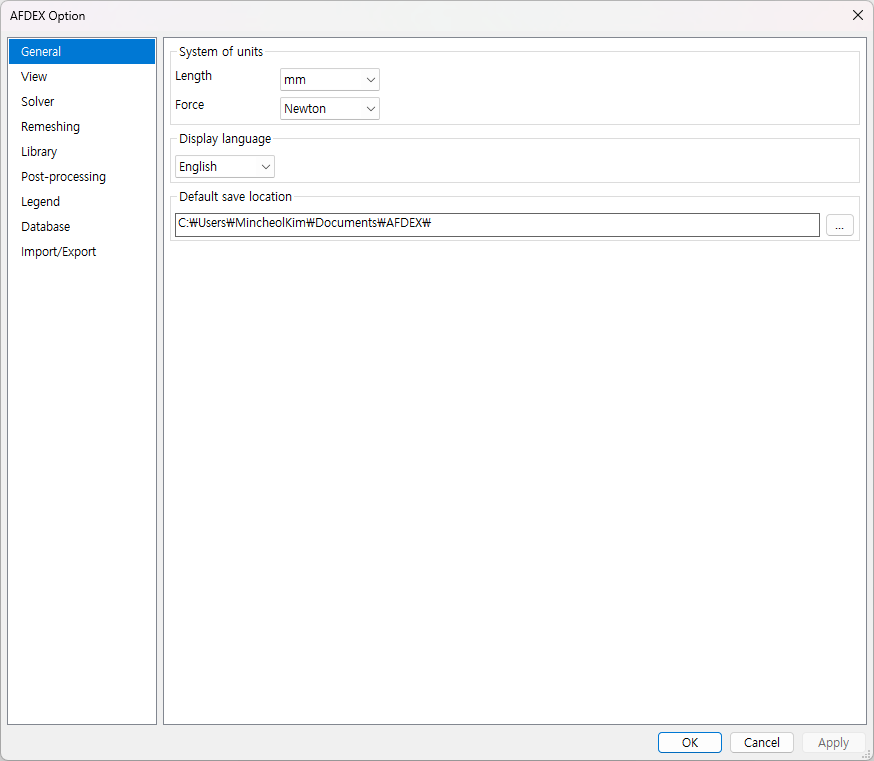
General
You can configure general option settings.
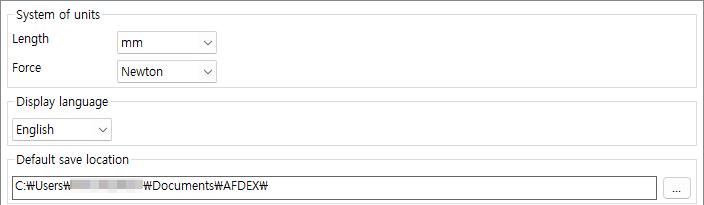
-
Unit System - Select length units and load units.
-
Display Language - Select the user language.
-
Default Save Location - Set the file save path.
View
You can configure screen-related settings.
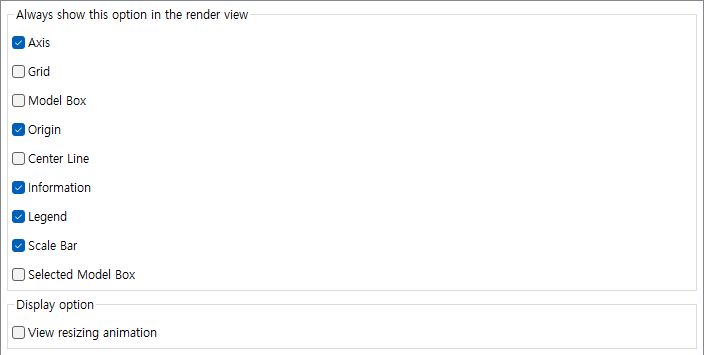
Options to Display in Render View
-
Axes - Turns axes on/off in the view.
-
Grid - Turns a square grid on/off in the background.
-
Model Box - Turns the bounding box of the model on/off.
-
Origin - Turns the origin on/off in the view.
-
Centerline - Turns the centerline on/off in the view. Generally, the
centerlineis theY-axis. -
Info - Displays product information such as
length,diameter, andstrokeon thePostscreen. -
Legend - Turns the legend on/off in the view.
-
Scale Bar - Turns axes on/off in the view.
-
Selected Model Box - Turns the bounding box of the selected model on/off.
Display Options
- Animation effects when switching views - Turns animation effects on/off when switching between Preprocessing/Postprocessing/Pre- and Post-processing modes.
Solver
You can set the executable file for each solver module list and configure options for starting and stopping the solver.
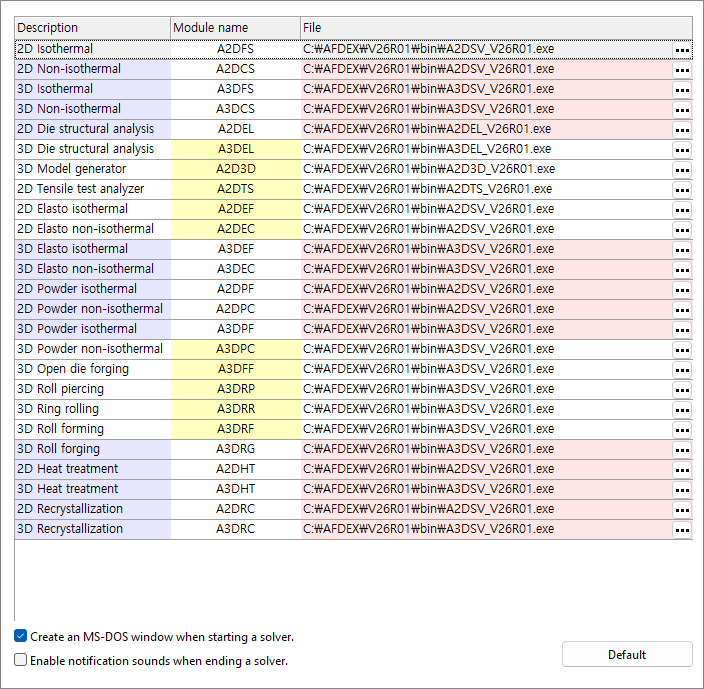
-
Open DOS window when starting solver - If checked, a DOS window appears when the program solver is executed. If unchecked, it runs in the background.
-
Turn on notification sound when terminating solver - If checked, a notification sound plays when the analysis is complete.
-
Initialization - Sets the executable file for each solver module to the default path.
Remeshing
Settings related to the remeshing file generated during 3D analysis.

- Create remeshing before/after files during analysis - If checked, the
/Rsymbol is added to the end of the input file in thebatch file. The files {filename}_before_remeshing.a3dsrf and {filename}_after_remeshing.a3dsrf are created.
call A3DFS_V24R02.bat < "test.a3dslf" /R
- Delete remeshing before/after files after analysis - If
Create remeshing before/after files during analysisis checked, a command to delete the created files is added to thebatch file.
call A3DFS_V24R02.bat < "test.a3dslf" /R

del test_before_remeshing.a3dsrf

del test_after_remeshing.a3dsrf
Library
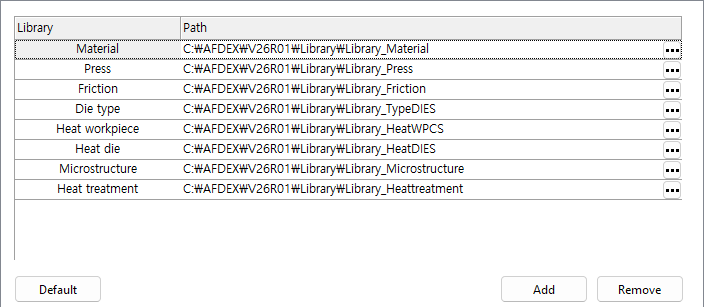
You can set the save path for each library, and you can also add or delete user folders.
-
Initialize - Changes the list path to the default installation path.
-
Add - Adds a user folder.
-
Delete - Deletes the selected user folder.
Postprocessing
Sets options related to postprocessing results.
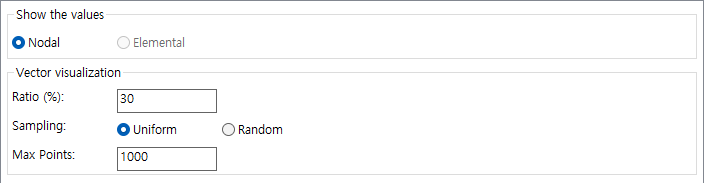
View Values
You can choose between node values and element values. Currently, only node values are provided.
Vector Visualization
-
Ratio - Enter the ratio of nodes to display in the visualization. (Maximum value: 100)
-
Sampling - Select between
Uniform DistributionandRandom Distribution. -
Maximum Nodes - Activates when
Random Distributionis selected.
Legend
This is an option to set the legend output format.

Output Format
-
Type - Select between
ExponentialandReal. -
Precision - Enter the number of significant figures.
156.2431

Exponent: 1.5624E+02

Real: 156.24
DB Options
This is a function to manage parsed projects in a database.

Database Information
-
Path - Sets the path to save.
-
Enable - If checked,
Ribbon Menu>Utilities Tab> DB Group becomes active.
Export/Import
Configures the functions for exporting and importing AFDEX data into specific file formats.
step
Configures settings for importing step/stp files.

- Element Precision - Sets the element precision.
iges
Sets the export/import of iges/igs files.

- Element Precision - Sets the element precision.