Skip to content

Post Project Explorer

post-explorer

Toolbar

  • Show Workpieces Only - Shows only the workpieces in the Post view.
  • Show Upper/Lower Dies Only - Shows only the dies in the Post view.
  • Show Upper Dies Only - Shows only the upper dies in the Post view.
  • Show Lower Dies Only - Shows only the lower dies in the Post view.
  • Show Workpieces/Upper Dies Only - Shows only the workpieces and upper dies in the Post view.
  • Show Workpieces/Lower Dies Only - Shows only the workpieces and lower dies in the Post view.
  • Show All - Shows all shapes in the Post view.
  • Reset to Focus on Workpieces - Resets the Post view and renders the workpieces as face / (face + outline) / (face + elements).
  • Reset to Focus on Dies - Resets the Post view and renders the dies as face / (face + outline) / (face + elements).
  • Reset all - Resets the Post view and renders all shapes as face / (face + outline) / (face + elements).

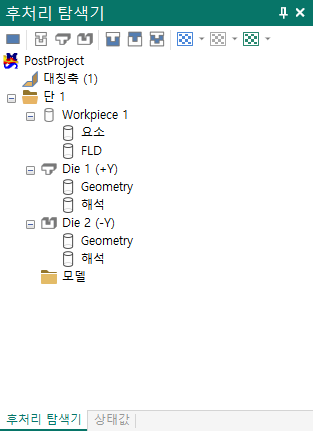
Tree view

  • PostProject - The top-level item of the post project; it has no function of its own.
  • Symmetry - Distinguishes between axisymmetric, plane strain and three-dimensional.
  • Stage - The stage space.
  • Workpiece - The workpiece space.
  • Element - Element shell information.
  • FLD - For sheet metal, the FLD information. If the Project is open, the FLD information from the pre-processor is copied. The values can also be modified. Opens the FLD dialog.
  • Die - The die space.
  • Geometry - Die shape information.
  • Analysis - Analysis die shape information.
  • Model - A space where the user can add STL models.
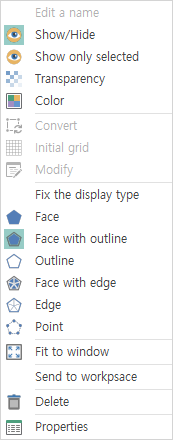
Context menu (Shell)

etc

Context menu (Model)

etc

  • Add Model - Loads a model and displays it in the Post view.
  • Positioner - Opens the Positioner dialog, where the positions of the loaded models can be set.