Post Step
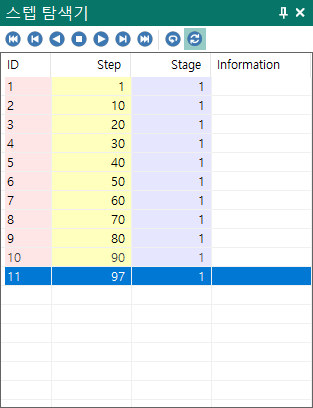
First step - Moves to the first step.Previous step - Moves to the previous step.Backward play - Plays the steps in reverse order.Stop - Stops playback if the steps are being played.Forward play - Plays the steps in forward order.Next step - Moves to the next step.Last step - Moves to the last step.Repeat - A check button. When playback reaches the last step in the Play direction, playback restarts from the beginning and continues.Auto update - A check button. While an analysis is running, the step list is updated automatically whenever results are written to the analysis file.
List
ID - ID number under which the analysis result is stored.Step - Step number.Stage - Stage number.Information - Prints information about the step for processes such as non-isothermal analysis or open-die forging.